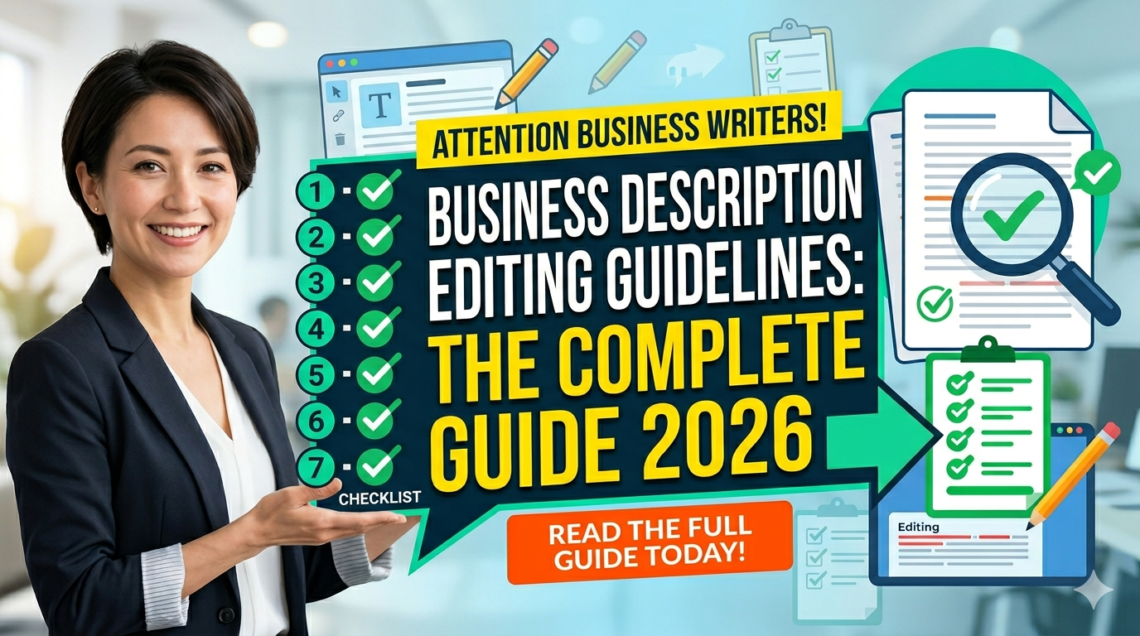
Your business description is one of the first things customers notice when they discover your company online. Whether it appears on your website, Google Business Profile, LinkedIn page, Yelp listing, or local directory, a well-optimized business description can directly influence SEO rankings, customer trust, and conversion rates.
Unfortunately, many businesses write a description once and never update it again. That approach no longer works in 2026.
Search engines now prioritize clear, trustworthy, and user-focused content. Generic descriptions filled with buzzwords or keyword stuffing can damage visibility instead of improving it. That is why following proper business description editing guidelines is essential for every business owner, marketer, and SEO professional.
In this complete guide, you will learn:
- What business description editing means
- Why it matters for SEO
- Google Business Profile rules
- Step-by-step editing strategies
- Common mistakes to avoid
- Advanced SEO optimization tips
- Examples and templates
- Tools professionals use
According to Google Business Profile Guidelines, businesses should provide accurate, useful, and relevant information while avoiding promotional or misleading content.
What Is a Business Description?
A business description is a short summary explaining:
- What your business does
- Who you serve
- What makes your company different
- Why customers should trust you
It appears across multiple platforms, including:
- Websites
- Google Business Profile
- LinkedIn company pages
- Yelp
- Online business directories
A strong business description should:
- Be clear
- Sound natural
- Include relevant keywords
- Focus on customer value
- Build trust immediately
Why Business Description Editing Matters in 2026
Business descriptions are no longer just informational text blocks. They now influence:
- Local SEO rankings
- Google visibility
- User engagement
- Brand authority
- Conversion rates
Google increasingly evaluates content quality using E-E-A-T principles:
- Experience
- Expertise
- Authoritativeness
- Trustworthiness
Poorly edited descriptions often look:
- Generic
- AI-generated
- Keyword stuffed
- Untrustworthy
This can reduce click-through rates and hurt local SEO performance.
Core Business Description Editing Guidelines
1. Start With Clear Business Information
Your first sentence should instantly explain:
- What you do
- Who you help
- Where you operate
Weak Example
“We provide excellent services for customers.”
Strong Example
“We provide residential and commercial plumbing services across Chicago, including emergency leak repair and water heater installation.”
Specificity improves trust and rankings.
2. Use Keywords Naturally
Your primary keyword should appear naturally throughout the content.
For example:
- business description editing guidelines
- edit business description
- optimize business profile
- improve company description
Avoid keyword stuffing.
Bad Example
“Best business description editing guidelines business profile editing services.”
Better Example
“These business description editing guidelines help improve clarity, SEO visibility, and customer trust.”
Google discourages low-quality keyword-heavy content.
3. Focus on Customer Benefits
Customers care about outcomes, not vague promises.
Weak
“We are committed to excellence.”
Better
“We respond to all customer inquiries within 30 minutes during business hours.”
Specific benefits convert better.
4. Improve Readability
Modern users scan content quickly, especially on mobile devices.
Improve readability by using:
- Short paragraphs
- Bullet points
- Active voice
- Simple language
- Clear formatting
Professional editors often target a Grade 6–8 reading level for business content.
5. Remove Generic Marketing Fluff
Avoid overused phrases like:
- Best company
- Industry-leading
- Number one business
- World-class solutions
These phrases reduce credibility.
Instead, provide measurable facts:
- Years of experience
- Certifications
- Number of customers served
- Industry specialization
6. Keep Information Accurate
Outdated information damages trust and SEO consistency.
Always verify:
- Phone number
- Address
- Services
- Opening hours
- Certifications
- Service areas
Google recommends maintaining consistent business information across platforms.
Google Business Profile Description Rules
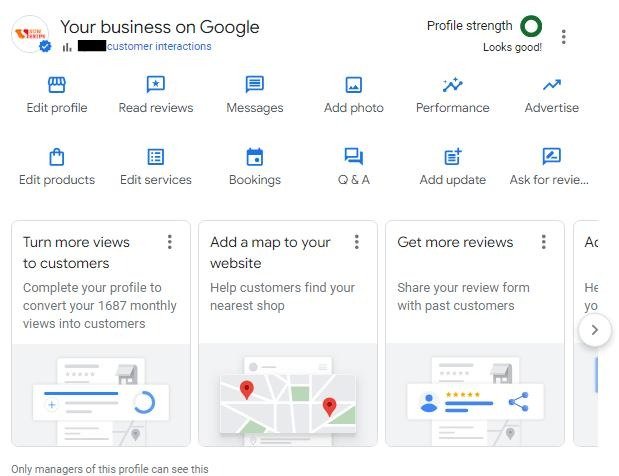
Google Business Profile descriptions have strict policies.
According to Google Business Profile Help, descriptions should:
Allowed
- Explain services
- Share company history
- Describe products
- Mention expertise
Not Allowed
- URLs
- Promotional offers
- Excessive keywords
- ALL CAPS
- Misleading claims
Character Limit
- Maximum: 750 characters
- Most visible portion: around 250 characters
This means your most important information should appear early.
7 Common Business Description Editing Mistakes
1. Keyword Stuffing
Repeating keywords unnaturally hurts readability and SEO.
2. Writing for Search Engines Instead of Humans
Descriptions should sound natural and helpful.
3. Using AI Content Without Editing
AI tools help with drafting, but human editing is essential for originality and trust.
4. Ignoring Mobile Users
Long paragraphs reduce readability on phones.
5. Copying Competitor Content
Duplicate content weakens SEO authority.
6. Making Unrealistic Claims
Avoid unsupported phrases like:
- Guaranteed best service
- Cheapest in the market
7. Forgetting Calls-to-Action
Encourage users to take action naturally.
Example:
“Contact our team today for a free consultation.”
Step-by-Step Business Description Editing Process
Step 1: Audit Existing Content
Review your current description and identify:
- Weak wording
- Outdated information
- Repeated phrases
- SEO gaps
Step 2: Define Your Target Audience
Ask:
- Who are you targeting?
- What problems do they have?
- What language do they use?
Audience-focused content performs better.
Step 3: Add Relevant Keywords
Use SEO tools like:
Include keywords naturally.
Step 4: Improve Structure
A strong structure usually follows this format:
- Who you are
- What you offer
- Who you serve
- Why customers trust you
- Call-to-action
Step 5: Proofread Carefully
Check for:
- Grammar errors
- Spelling mistakes
- Repetitive wording
- Formatting issues
Tools like Grammarly and Hemingway Editor can help.
Business Description Template
Local Business Template
[Business Name] provides [services] for customers in [location]. With over [X years] of experience, we specialize in [specific expertise]. Our team focuses on [customer benefit] while delivering reliable and professional service. Contact us today to learn how we can help.
Before & After Editing Example
Before
“We provide high-quality digital marketing solutions for businesses worldwide.”
After
“ABC Digital Marketing helps small businesses across New York improve Google rankings through SEO, content marketing, and local search optimization. Our team has managed over 300 successful campaigns since 2018.”
The second example is:
- More specific
- More trustworthy
- Better optimized
- Easier to understand
Advanced SEO Tips Most Competitors Miss
Add Local SEO Signals
Mention:
- City names
- Service areas
- Local expertise
Example:
“Serving homeowners across Miami since 2015.”
Use Semantic Keywords
Google understands related phrases.
Include terms like:
- business profile optimization
- company profile editing
- local SEO description
- business summary optimization
Match Search Intent
Think about what users want to know:
- What services do you offer?
- Why should they trust you?
- What makes you different?
Descriptions answering these questions perform better.
Best Tools for Business Description Editing
Grammarly
Great for grammar and clarity improvements.
Hemingway Editor
Improves readability and sentence structure.
Surfer SEO
Helps optimize keyword usage.
Google Search Console
Shows search queries bringing traffic.
Copyscape
Detects duplicate content issues.
Business Description Editing Checklist
Before publishing, ask:
- Is the description clear?
- Does it explain services quickly?
- Are keywords natural?
- Is the tone professional?
- Is the content unique?
- Is the information accurate?
- Does it sound trustworthy?
- Is it mobile-friendly?
- Is there a call-to-action?
- Does it match Google guidelines?
Final Thoughts
A powerful business description is not just marketing text. It is an SEO asset that influences rankings, trust, and conversions.
Businesses that follow professional business description editing guidelines can:
- Improve local SEO
- Increase customer trust
- Generate more leads
- Strengthen branding
- Improve Google visibility
In 2026, businesses using clear, user-focused, and properly optimized descriptions will outperform competitors relying on generic content or unedited AI text.
Start by auditing your current business descriptions today. Small edits can produce major improvements in visibility and conversions.
Frequently Asked Questions (FAQs)
1. What are business description editing guidelines?
Business description editing guidelines are best practices used to improve the clarity, professionalism, SEO, and readability of a company’s business description across websites, Google Business Profiles, and online directories.
2. Why is editing a business description important for SEO?
A well-edited business description helps search engines understand your services, improves keyword relevance, increases local SEO visibility, and builds trust with potential customers, which can lead to higher rankings and conversions.
3. How long should a business description be?
The ideal length depends on the platform. For Google Business Profile, descriptions can be up to 750 characters, while website business descriptions are usually more detailed and can range from 100–300 words or longer.
4. What should be included in a business description?
A strong business description should include your company name, services, target audience, location, unique selling points, experience, and a clear customer-focused message with relevant keywords.
5. What are the most common business description editing mistakes?
Common mistakes include keyword stuffing, vague wording, copying competitor content, using outdated information, poor readability, and writing descriptions that focus more on search engines than real users.